The 5070 Ti has 16 GB of VRAM, and every model I actually wanted to try was just a bit bigger than that. Qwen3 32B at Q4_K_M is 19.8 GB. llama.cpp has an answer for this: put as many layers on the GPU as fit, and run the rest on the CPU. I expected it to be a bit slower. It was much slower, and then a model four times bigger ran more than twice as fast.
Splitting a dense model#
-ngl sets how many layers go to the GPU. Qwen3 32B has 64 layers, so I swept it
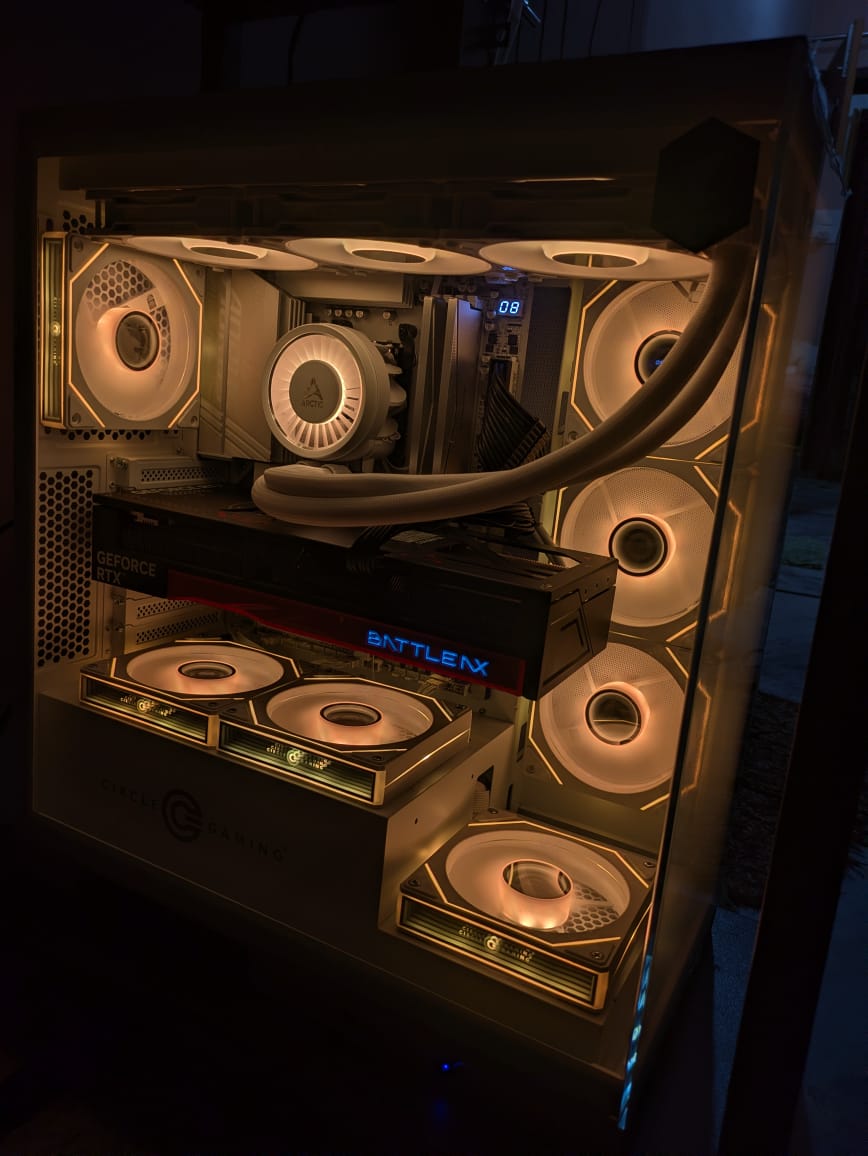
on the PC (9800X3D, 64 GB DDR5-6200, 5070 Ti, Windows) with 8K context:
llama-bench -m Qwen3-32B-Q4_K_M.gguf -ngl 0,16,32,40,44 -p 512 -n 128 -t 8| layers on GPU | share on GPU | generate tok/s |
|---|---|---|
| 0 | 0% | 3.0 |
| 16 | 25% | 4.2 |
| 32 | 50% | 6.0 |
| 40 | 63% | 7.6 |
| 44 | 69% | 9.1 |
| 48 | 75% | 2.3 |
With 44 of 64 layers on the GPU, more than two thirds of the model is on the fast card, and I got 9.1 tokens per second. The same file fully on a 24 GB card would be somewhere in the mid 30s. Most of the model is on the GPU, but the speed is only a quarter of that.
The math explains it once you write it down. For each token, the GPU reads its layers and then the CPU reads the rest, one after the other. So the times add up:
time per token = GPU bytes / GPU bandwidth + CPU bytes / CPU bandwidth

GPU: 0.69 * 19.8 GB / 896 GB/s  = 0.015 s
CPU: 0.31 * 19.8 GB / ~60 GB/s  = 0.102 s
total                           = 0.117 s  ->  about 8.5 tok/s
The CPU side takes 87% of the time while holding 31% of the model. The GPU’s memory is fifteen times faster than what my CPU can read through Infinity Fabric (about 64 GB/s at most, which I covered in the V-cache post). So the slow part decides the speed. Every layer you move to the GPU helps less than you’d expect, until the very last one.
The 48-layer row was the weird one. It should have failed with out of memory. On Windows, the Nvidia driver can quietly spill VRAM into system RAM over PCIe when it runs out, so llama.cpp loaded fine and then ran at 2.3 tokens per second, slower than running everything on the CPU. Nothing in the logs said anything was wrong. I only noticed because Task Manager showed “shared GPU memory” going up. I turned off “CUDA Sysmem Fallback Policy” in the Nvidia control panel after that, so running out of VRAM now crashes loudly, which is how I want it.
44 layers was also the max because the GPU holds the KV cache for its layers, not only the weights. Doing the same calculation as the 64 users post, Qwen3 32B has 64 layers, 8 KV heads, and a head size of 128, so it needs 256 KiB per token. 8K of context is 2 GiB. Every bit of context I added took away room for another layer.
Mixture of experts changes the math#
Qwen3 30B-A3B is about the same size as the 32B model: 18.6 GB at Q4_K_M. But it’s a mixture of experts model. Each layer has 128 small feed-forward networks (experts), and for each token a router picks 8 of them. The attention and the router run for every token, but most of the expert weights just sit there unused. Only about 3.3B of the 30B parameters are used per token.
That means the “time per token” formula only counts the bytes actually read. If the attention weights and KV cache are on the GPU, and only the experts are in RAM, the CPU reads 8 of 128 experts per layer per token. That’s well under a gigabyte, instead of a third of the model. llama.cpp has a flag for exactly this:
llama-server -m Qwen3-30B-A3B-Q4_K_M.gguf -ngl 99 --n-cpu-moe 16 \
  -c 8192 -fa on
-ngl 99 puts every layer on the GPU first, and --n-cpu-moe 16 then moves the
expert weights of the first 16 layers back to the CPU. The older way is a regex
over tensor names with -ot ".ffn_.*_exps.=CPU", which still works if you want
more control.
| setup | VRAM used | generate tok/s |
|---|---|---|
-ngl 34, whole layers split | 14.9 GB | 41 |
--n-cpu-moe 48, all experts in RAM | 3.1 GB | 38 |
--n-cpu-moe 24 | 9.8 GB | 58 |
--n-cpu-moe 16 | 13.6 GB | 71 |
Even with every expert in system RAM and only 3 GB of VRAM used, it runs at 38 tokens per second. That’s four times faster than the dense 32B model using all of the card. Moving whole layers is worse than moving only experts at roughly the same VRAM, because whole layers also put attention and their part of the KV cache on the CPU, and those are used for every single token.
A 120B model on a gaming PC#
So then I tried something silly. gpt-oss-120b has 117B parameters, uses about 5.1B per token, and its weights ship in MXFP4, about 63 GB across three files. I have 16 GB of VRAM and 64 GB of RAM. That’s 80 GB together, so it fits, barely.
llama-server -m gpt-oss-120b-mxfp4-00001-of-00003.gguf -ngl 99 \
  --n-cpu-moe 30 -c 16384 -fa on
With the experts of 30 of the 36 layers in RAM, VRAM sat at 14.8 GB and system memory at about 52 GB from the model alone. It generated about 21 tokens per second. A 2,000 token prompt took around 10 seconds to process, which is the weak point here. Processing a prompt touches far more experts than generating a single token, and a lot of those bytes have to move across PCIe or be computed on the CPU.
| model | total params | used per token | generate tok/s |
|---|---|---|---|
| Qwen3 32B, layer split | 32B | 32B | 9.1 |
| Qwen3 30B-A3B, experts in RAM | 30B | 3.3B | 71 |
| gpt-oss-120b, experts in RAM | 117B | 5.1B | 21 |
The biggest model here is more than twice as fast as the dense model a quarter of its size. Total parameters decide whether a model fits in memory at all. Parameters used per token, and where those bytes live, decide how fast it runs. Model cards lead with the first number, which isn’t what you want to know when you’re trying to fit something on a gaming PC.
Running it wasn’t comfortable. 52 GB out of 64 GB means I had to close Chrome before loading it, and the first load from disk took a few minutes. Windows also paged out something important and the whole desktop froze for a few seconds whenever I switched windows. Answer quality is a separate question too. A 30B-A3B model isn’t the same as a 32B dense model just because they have similar parameter counts, and this post is only about speed.
For this kind of machine, I now think about it differently. If the model fits in VRAM, nothing else matters. If it doesn’t, a dense model is a bad deal and an MoE model is a pretty good one, and the extra RAM I bought for no particular reason is suddenly the most useful part of the PC.